More clarity to manage, more time to decide.
EWController brings transactions, upcoming commitments and management reports together in one web-based system. It goes from the first entry to the income statement and reads payment slips and invoices with artificial intelligence.
Rollout guaranteed by EW
Actual and forecast cash flow
Detailed income statement by cost center
AI document import
When financial information is scattered, decisions get put off.
Only today's balance
Without forecasts next to the balance, a tight month catches you by surprise.
Endless data entry
Payment slips, bills and invoices arrive as PDFs and images, and every field has to be typed in by hand.
Numbers without context
The monthly total doesn't explain where the change came from or which area drove the result.
Access without rules
Either everyone sees everything, or nobody can find what they need among all the screens.
From the document you receive to the analysis of results.
Each step feeds the next: whatever is entered shows up in cash flow and results, with history and attachments.
Receive and enter
- AI import of payment slips, bills and invoices
- Data review before confirming
- Original file attached to the entry
Record and reconcile
- Credits, debits, transfers and balances
- Reconciliation with history and attachments
- Full context for every transaction
Plan cash flow
- Actual and forecast side by side
- Daily cash trend
- View by company and by account
Analyze results
- Detailed income statement with month-over-month comparison
- Breakdown by cost center
- Cash-basis and accrual views
Modules that cover finance from end to end.
Transactions and reconciliation
Credits, debits, transfers and balances kept in order, with reconciliation, attachments and history.
Cash flow
Actual and forecast by company and account, a daily statement and a cash timeline.
Detailed income statement
Revenue, costs and expenses with month-over-month comparison, share, variance and expandable detail.
Overdue aging
Track overdue receivables by age bracket so you can act before they turn into losses.
AI import
Pulls supplier, document, amounts and due dates out of PDFs and images.
Master data and security
Companies, accounts, cost centers and administrative accounts, with menus and data based on access profile.
Today's balance and the commitments coming up.
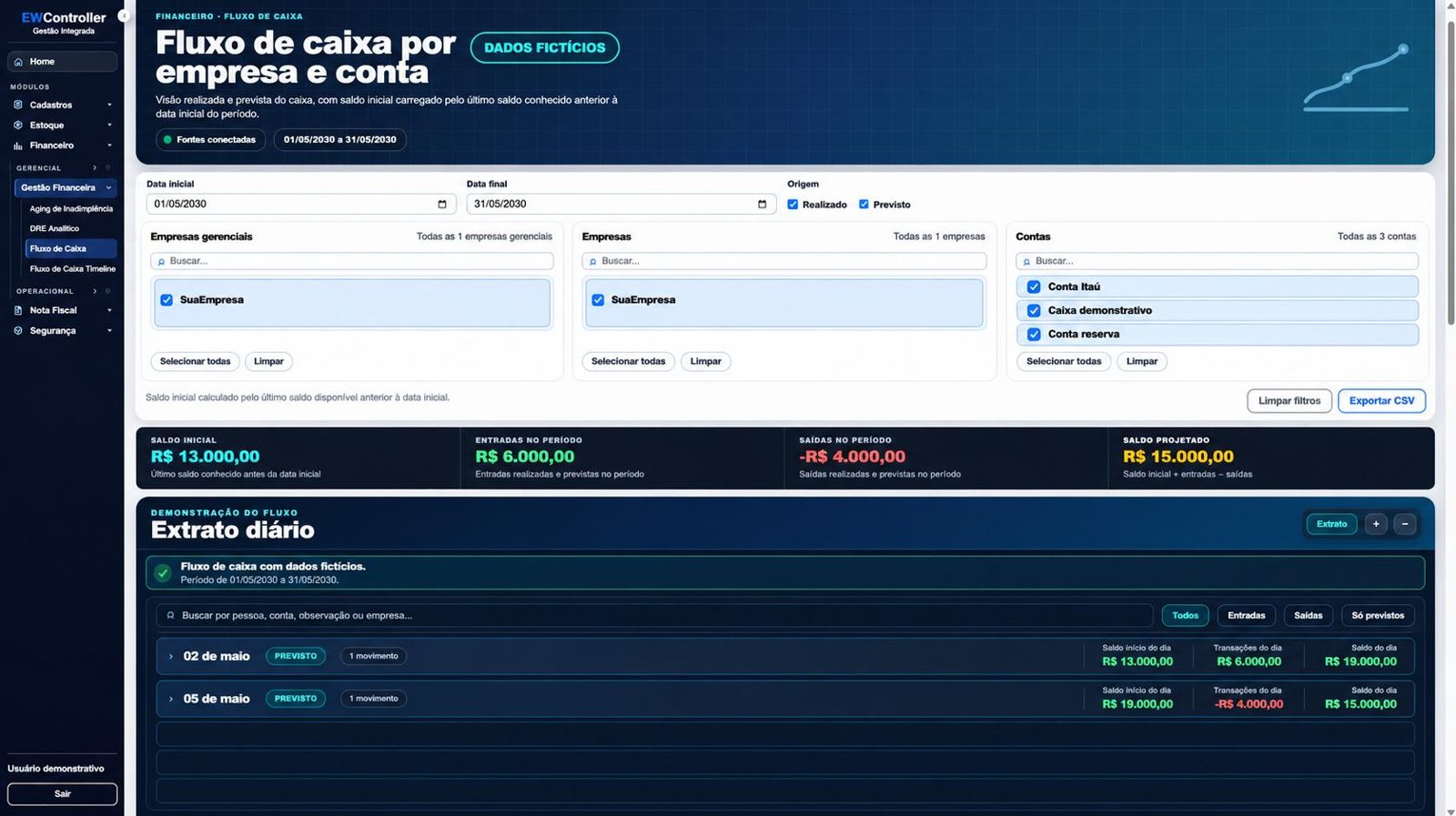
By bringing actual transactions and forecasts together, the cash flow shows the funds you have and the commitments ahead.
- Opening balance, inflows, outflows and projected balance for the period
- Daily statement with actual and forecast
- Filter by company, management entity and account
- Export to CSV
Understand performance and see where to act.
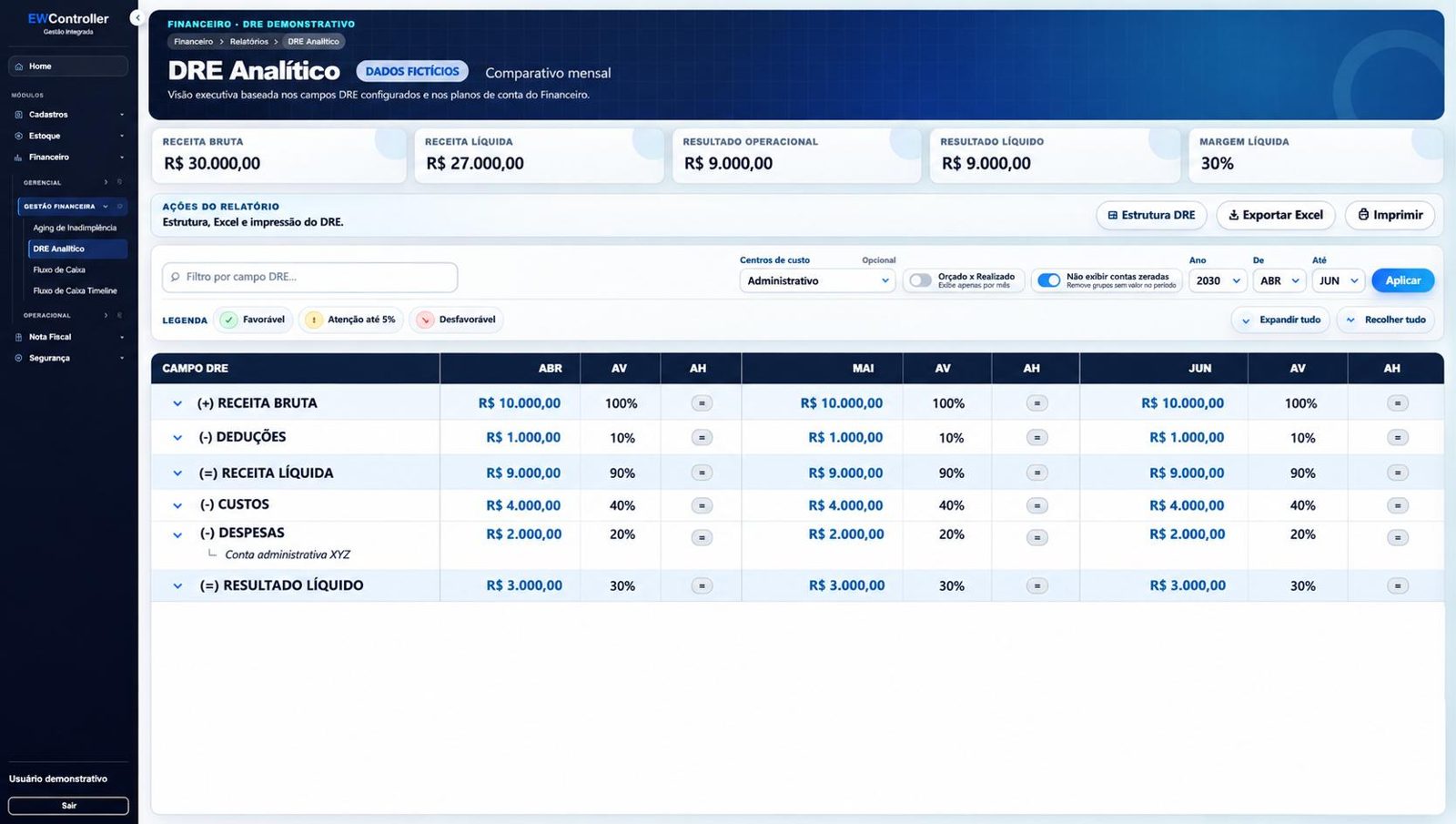
The detailed income statement organizes revenue, costs and expenses into a structured view, with month-over-month comparison and a breakdown by cost center.
- Monthly comparison with vertical and horizontal analysis
- Budget vs. actual by cost center
- Groupings you can expand down to each entry
- Cash-basis and accrual views, with export to Excel
The AI reads the document and your team checks it.
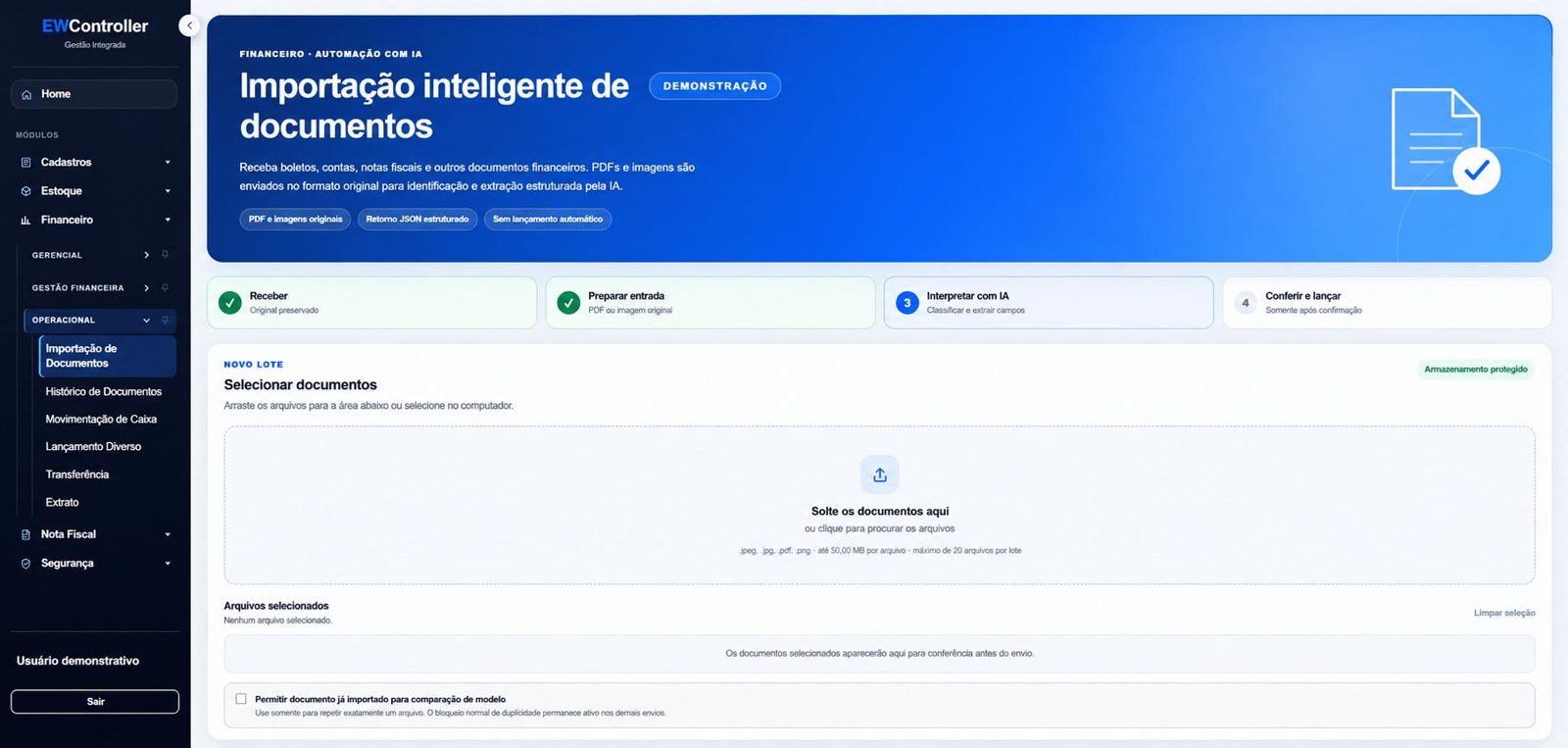
AI import reads payment slips, bills and invoices as PDFs or images and fills in the fields for your team to check.
- Identifies supplier, document, amounts and due dates
- Original file always available for reference
- Blocks duplicate documents
- Entries are only posted after your team reviews them
Every transaction in context.
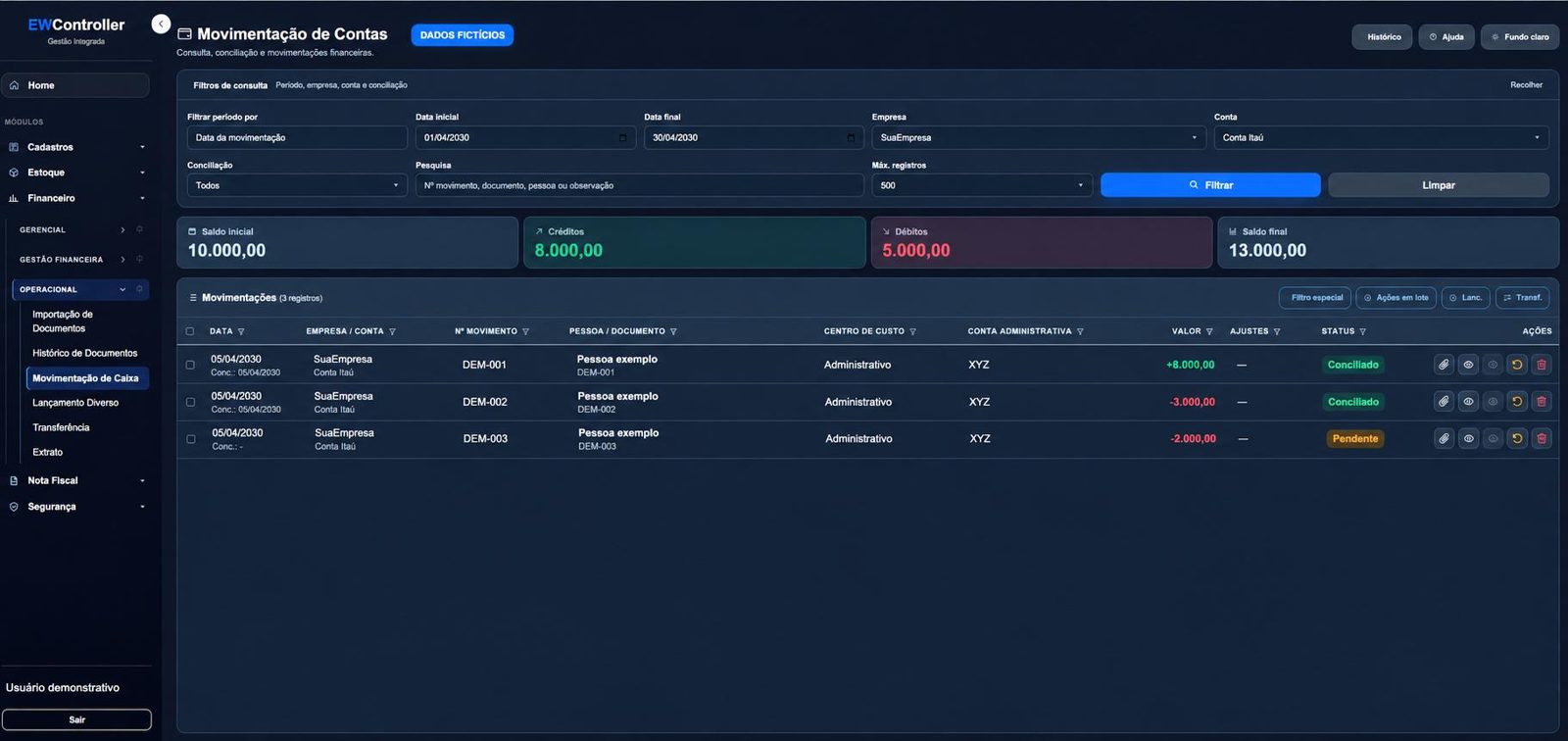
Credits, debits, transfers and balances are organized by company and account, and each user only sees the features their access profile allows.
- Reconciliation, attachments and history on every entry
- Filters by company, account, cost center and administrative account
- Menu organized by area and by profile
- Inventory and invoicing modules in the same system
EW doesn't just sell software: we carry out the rollout from start to finish.
The project is only finished when your team is running on EWController.
Assessment
We learn how your finance function works today: companies, accounts, cost centers and reports.
Setup
We configure the system, import master data and balances and switch on the features you signed up for, such as AI.
Training
We train the finance team and the managers who will follow the reports.
Hands-on go-live support
We're there for your first month-end closings and keep supporting you after that.
Connected to what your company already uses.
For companies that want a more professional finance function.
Groups with several accounts and companies
That need to consolidate cash and results from different companies and accounts into one view.
Managers and executives
Who want to see commitments coming and understand results by area before making decisions.
Finance teams
That want to swap typing up documents and juggling spreadsheets for an organized, checked workflow.
EWController questions
Is EWController cloud-based?+
Yes. It's web-based software you use in the browser, with infrastructure and backup managed by EW.
How does AI import work?+
You upload payment slips, bills or invoices as PDFs or images, the AI suggests the supplier, document, amounts and due dates, and your team reviews everything before confirming the entry. The feature needs to be set up, and how well it reads depends on how legible the document is.
Does it handle more than one company?+
Yes. You can filter and analyze by company, management entity, account, cost center and administrative account.
Does every user see everything?+
No. The menu and features follow each user's access profile.
How does the rollout work?+
We map how your finance team works, set up companies, accounts and cost centers, import your data and train your staff.
How much does it cost?+
Pricing depends on the number of users, companies and features you sign up for, such as AI. During the demo we learn what you need and then send a proposal.
Get to know EWController and decide with more clarity.
In a guided demo, we show you the cash flow, the detailed income statement and AI import using sample data similar to your company's.